1. Edit a Client
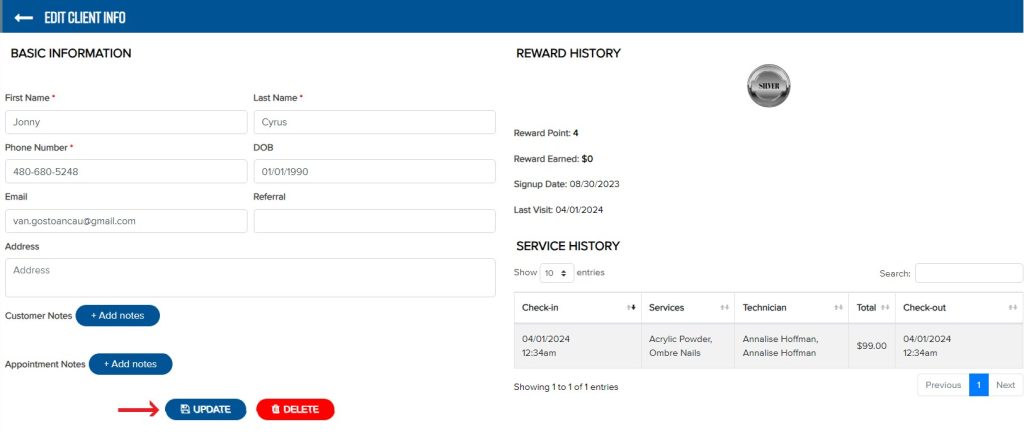
– Click on the client’s name.
– Edit details, then click Update to save changes.
2. Delete a Client
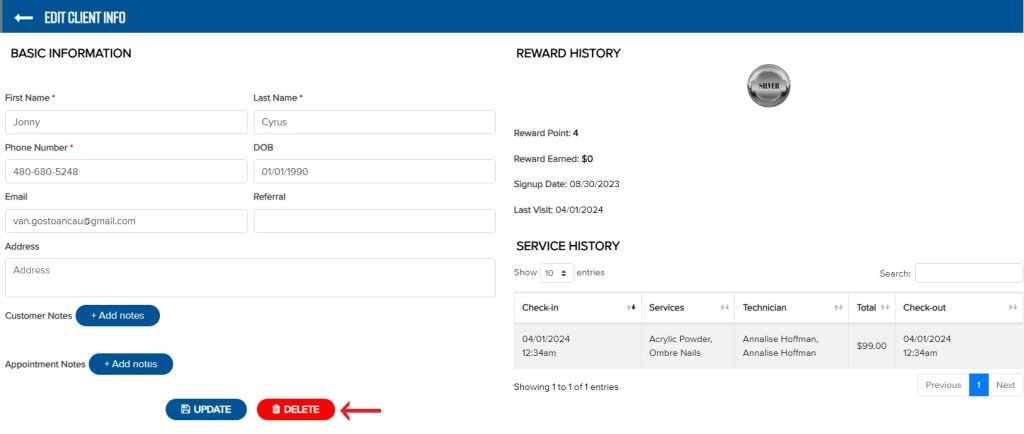
– Option 1: Click on the client’s name, then click Delete to delete client.
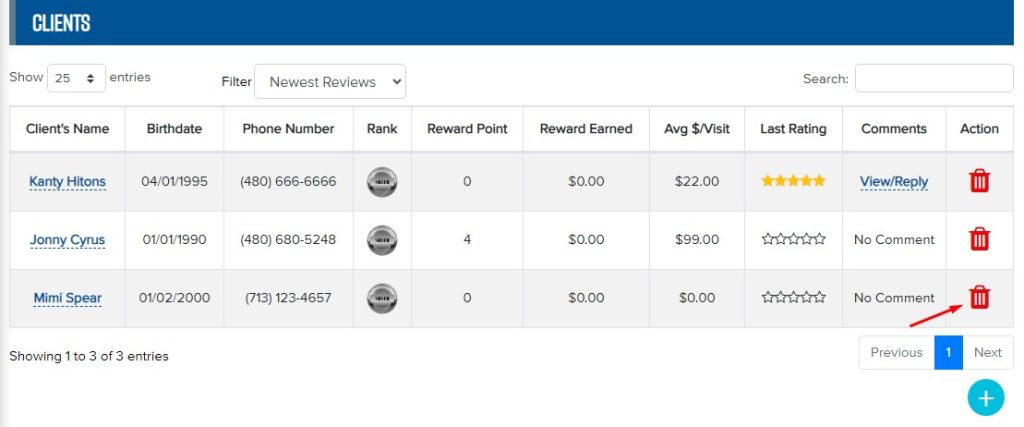
– Option 2: In the Clients section, click the delete icon, then confirm by selecting OK.