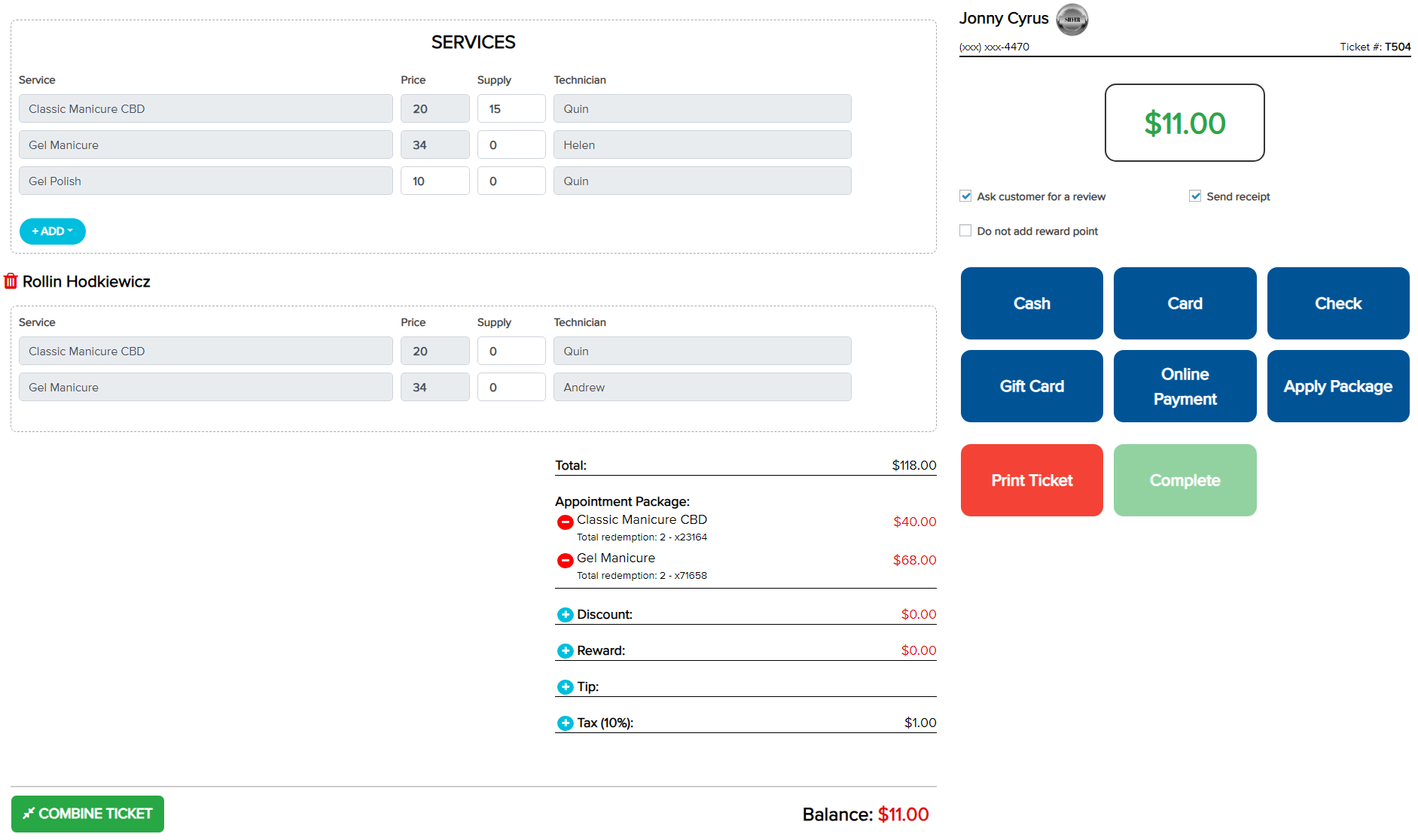
– On the checkout screen, select Apply Package to enter a package code.
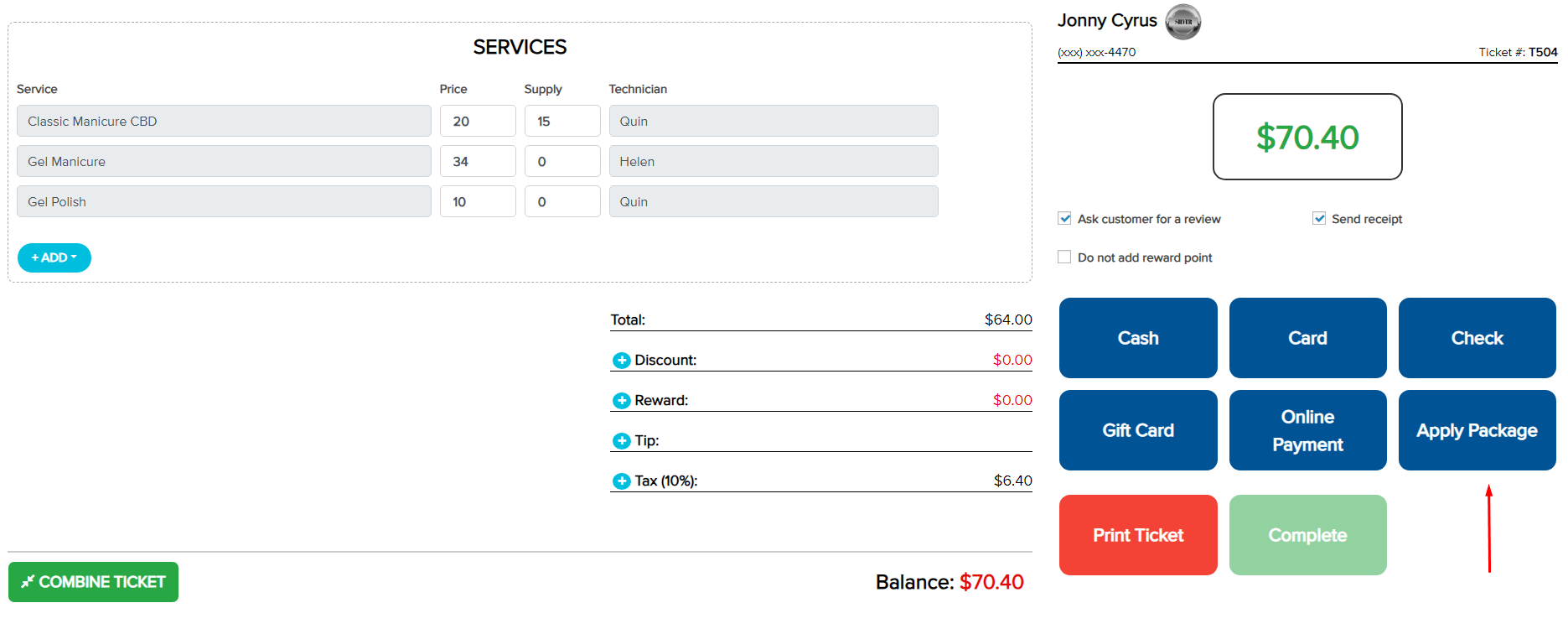
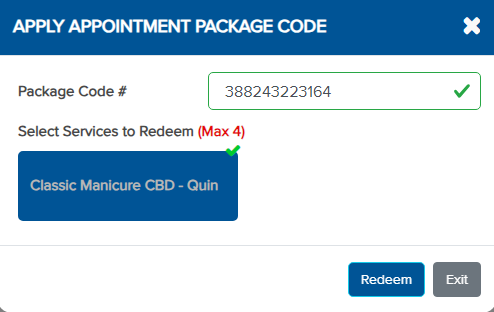
– Enter the package code to apply it.
– Select the service you want to apply the package to, then click Redeem.
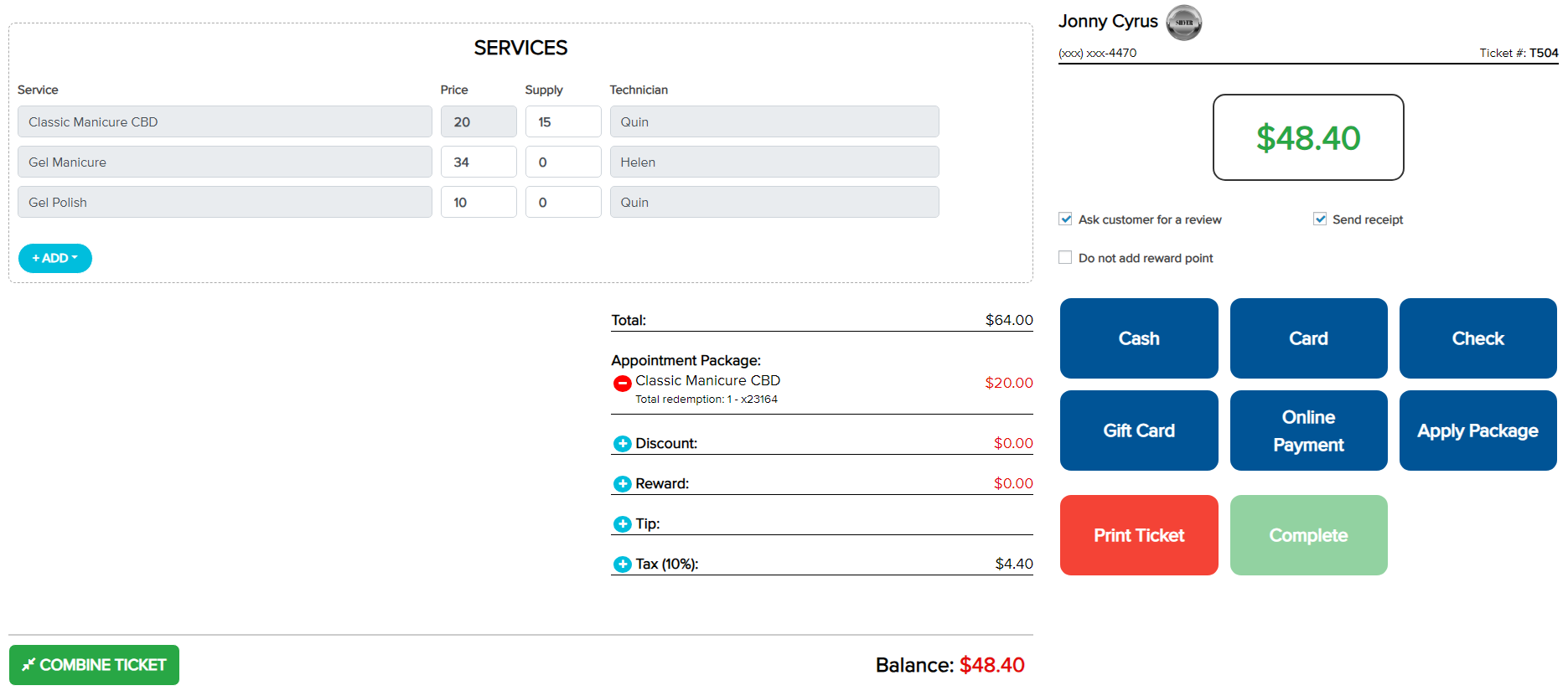
– Under the Total section, the Appointment Package information will appear:
+ The service applied and the deducted amount are shown.
+ The total redemption and the last five digits of the package code are shown.
– Select another payment method to pay the remaining amount if applicable.
– Multiple package codes can be applied within the same invoice or across multiple invoices to redeem sessions.
*Note: The package code is not redeemed until the checkout is completed.